Comparisons
Camtasia vs TeachSlides: edit afterwards, or finish as you teach?
Camtasia gives you a powerful editor for after you record. TeachSlides does most of that work while you present. Which saves you more time depends on your videos.
In short: choose Camtasia if you want frame-by-frame control in a timeline editor, or quizzes with SCORM for your LMS. Choose TeachSlides if your videos are lessons from slides and you’d rather they come out finished as you present, with captions, a vertical version and live teaching included, for $149 once instead of about $180 a year.
TeachSlides is our app. Camtasia is excellent, and we say where it wins.
The short answer
- You want total control in an editorCamtasiaMulti-track timeline, callouts, cursor effects, precise cuts.
- You need quizzes in your LMSCamtasiaSmart Player quizzes and SCORM export.
- You teach from PowerPoint and hate editingTeachSlidesCuts, layouts and captions happen as you present.
- You also teach liveTeachSlidesGo live, Zoom/Teams camera and a projector window.
Camtasia vs TeachSlides at a glance
Scroll sideways to see every column
| Tool | Best for | Works on | Free option | Price | Slides | Editing | Captions | Live teaching |
|---|---|---|---|---|---|---|---|---|
| TeachSlides | Slide lessons, courses, live classes | Windows, Mac, Linux | Every feature (watermark, 1080p) | $149 once | Designer, PowerPoint import, AI planning | Cuts made as you present; light editor | Yes: 16 styles, 99 languages, on device | Yes: Go live, Zoom/Meet/Teams, projector |
| Camtasia | Polished courses, software tutorials | Windows, Mac | Online: 5 min, 1080p | $179.88/yr (Essentials) | PowerPoint add-in (Windows) | Full multi-track editor | Yes | No |
Feature by feature
Scroll sideways to see every column
| Feature | Camtasia | TeachSlides |
|---|---|---|
| Import PowerPoint | Add-in records the slide show (Windows) | Imports the .pptx as editable slides |
| Speaker notes while recording | In PowerPoint | Notes and teleprompter per slide |
| Camera layout per slide | Arrange on the timeline afterwards | Set per slide before you record |
| Cuts | You make them in the editor | Made at every slide change automatically |
| Filler words and pauses | Edit by hand (or by transcript) | Removed in one click |
| Captions | Yes | Yes: 16 animated styles, 99 languages, on your computer |
| Quizzes and SCORM | Yes | No |
| Vertical Shorts and Reels | Separate project | Same take, own layouts |
| Live streaming / Zoom camera | No | Yes |
| Platforms | Windows, Mac | Windows 10 and 11, Mac (Apple chip), Linux |
| Price | From $179.88 a year | Free version; Pro $149 once |
TeachSlidesBest for finished lessons straight from your slides, recorded or live
This is our app. We’ve described its limits as plainly as everyone else’s.
- Platforms
- Windows 10 and 11, Mac with Apple chip, Linux 64-bit (desktop app)
- Free plan
- Every feature, up to 25 videos of up to 5 minutes, with a small watermark and exports up to 1080p
- Price
- Pro $149 once, no subscription
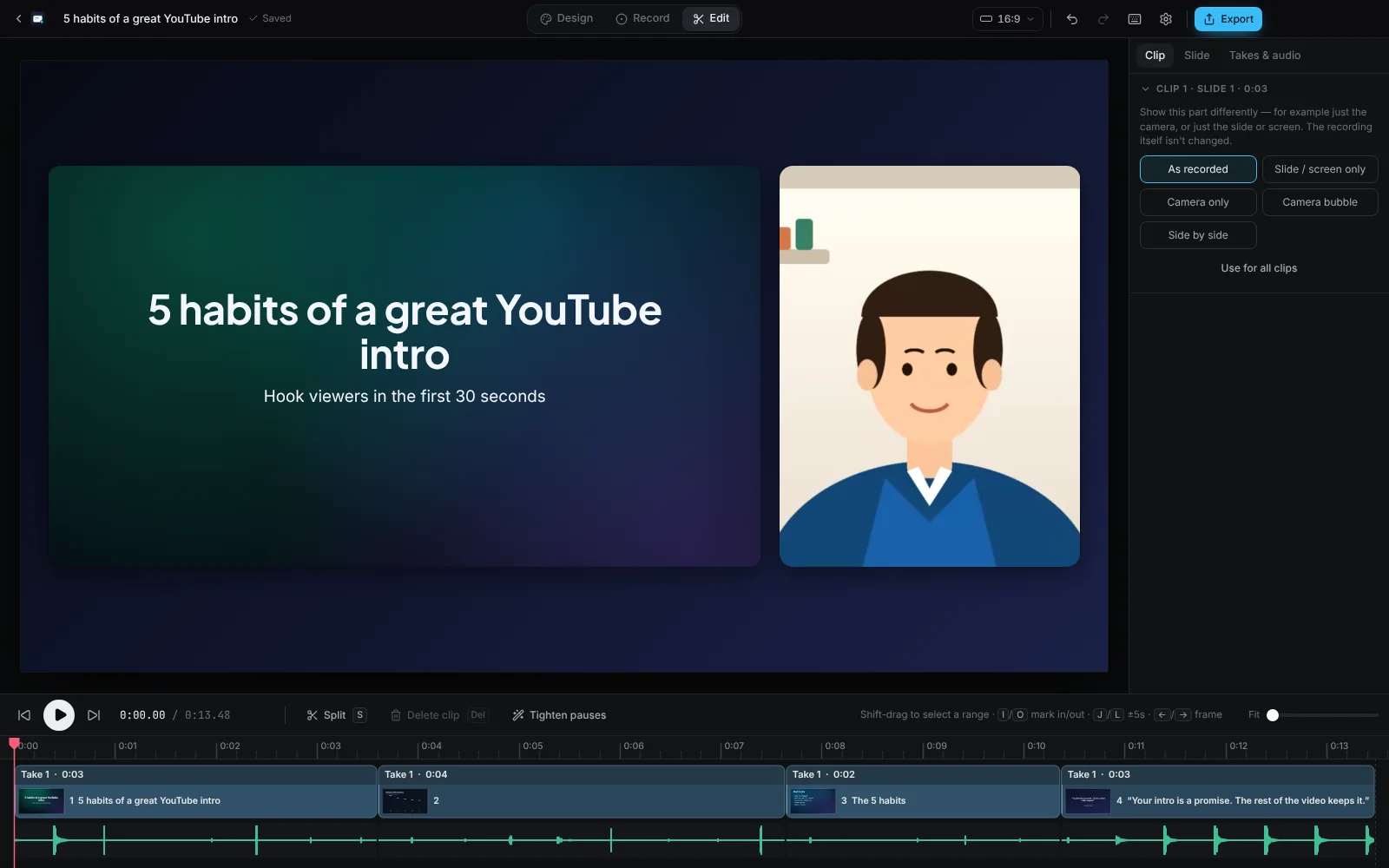
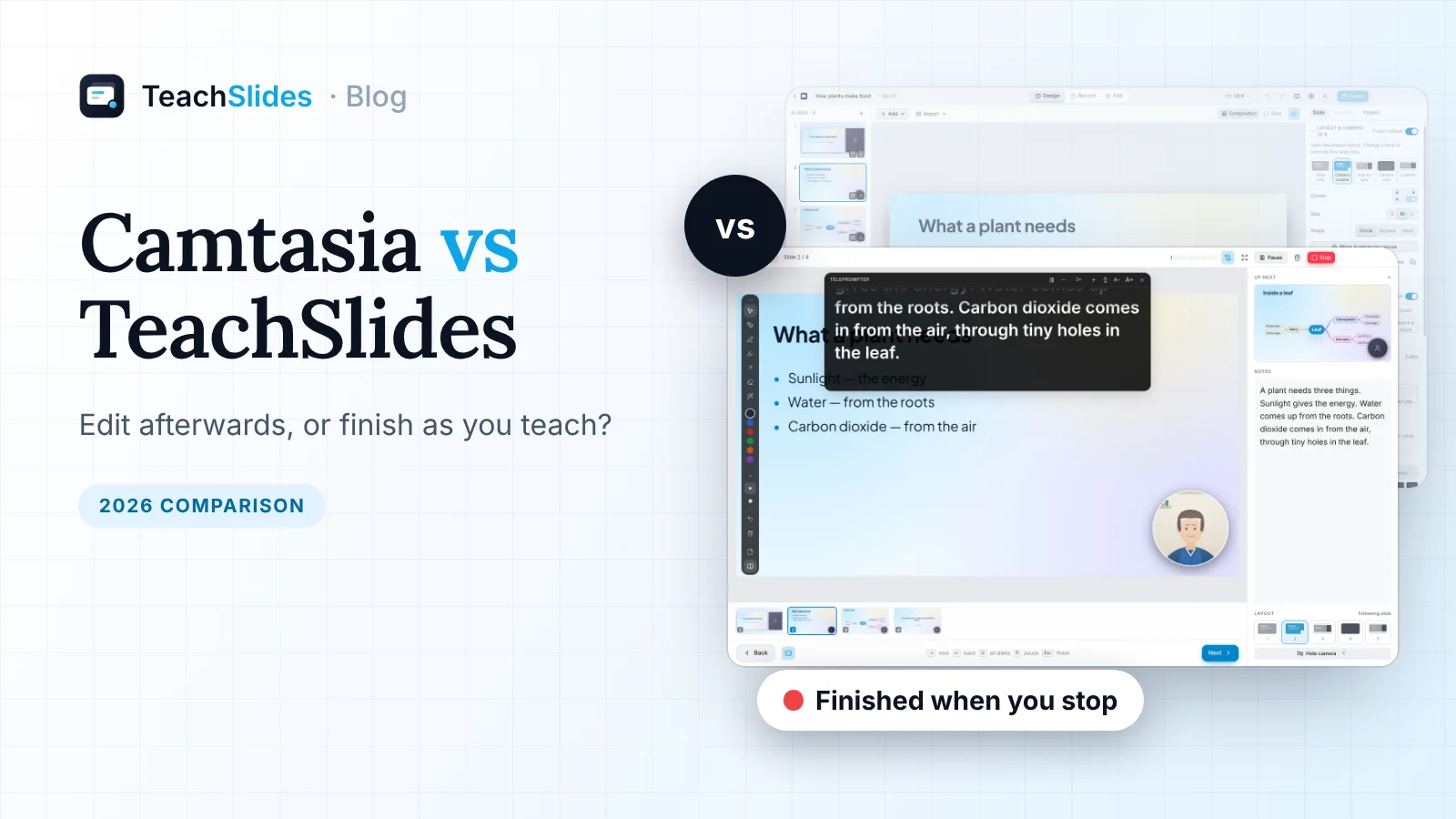
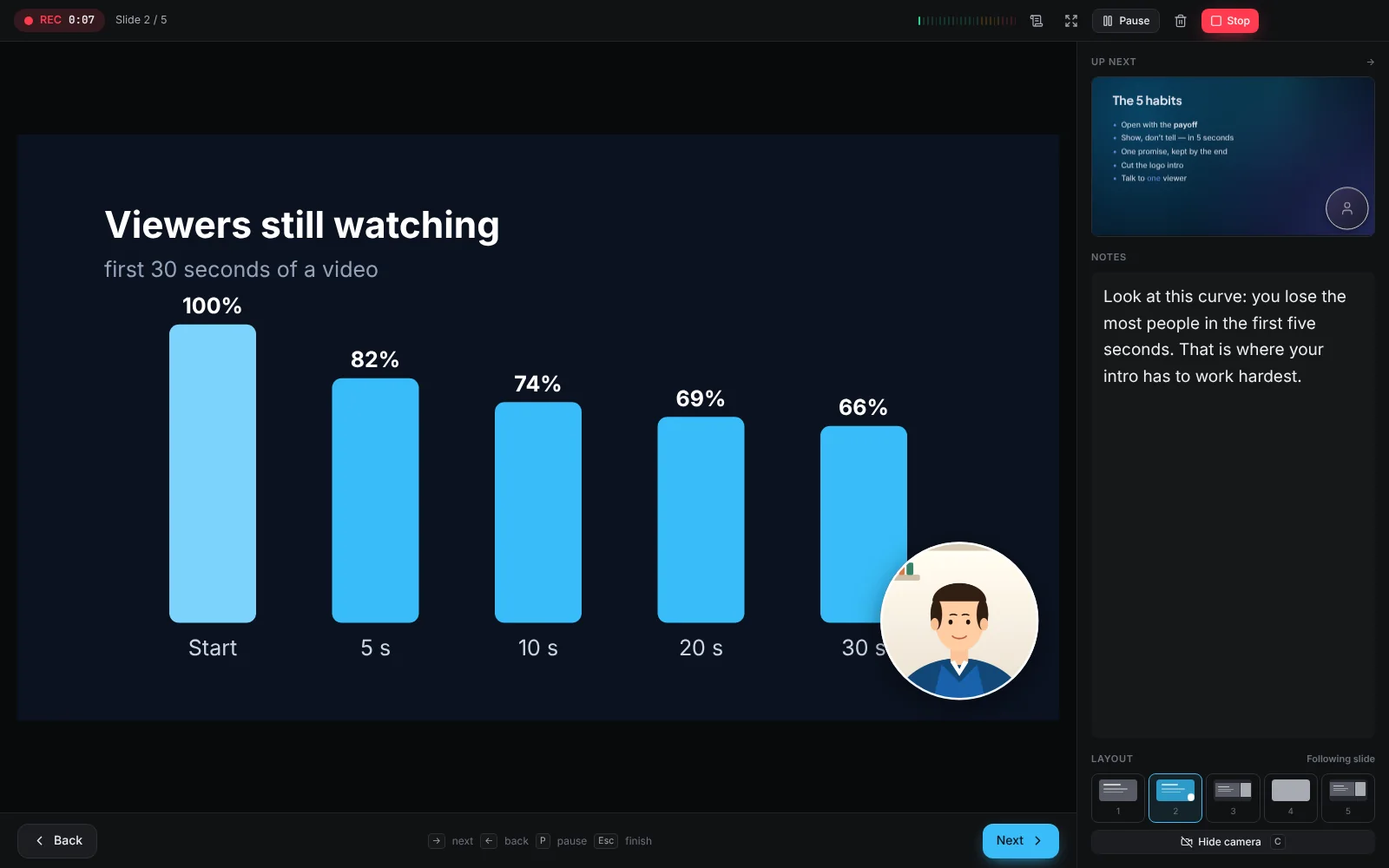
TeachSlides moves the work from the editor to the lesson. You import your PowerPoint as editable slides (or plan a new lesson with AI), choose a camera layout per slide, and present. Because each slide already knows how the video should look, the recording comes out cut at every slide change, with your camera in the right place.
The editing that’s left is quick: remove filler words, tighten pauses, add zooms and annotations, and burn in captions in one of 16 styles. Export 16:9 for your course and 9:16 for Shorts from the same take, up to 4K at 60 fps.
It doesn’t replace a full multi-track editor, and it has no quizzes or SCORM. What it adds instead is live teaching: stream the lesson, show it in Zoom or Teams, or put it on a projector.
Why teachers like it
- A finished video when you stop: cuts at every slide
- PowerPoint import with notes as a teleprompter
- Captions, filler-word removal and vertical versions built in
- Live streaming and a virtual camera
- One payment, no subscription
Watch out for
- No quizzes, hotspots or SCORM
- A lighter editor than Camtasia’s timeline
CamtasiaBest for precisely edited course videos with quizzes
- Platforms
- Windows and Mac desktop app; Camtasia Online in Chromium-based browsers
- Free plan
- Camtasia Online: 5-minute recordings at 1080p, no watermark
- Price
- Annual plans only: Essentials $179.88 a year; $162.36 a year for educators
Camtasia is the long-standing tool for course videos that need to look produced. It records screen, camera and microphone on separate tracks, and its timeline editor adds callouts, cursor effects, zooms, transitions and captions with precise control. On Windows, a PowerPoint add-in records your slide show straight into Camtasia.
Its teaching extras are interactive: quizzes and clickable hotspots play in TechSmith’s Smart Player, and a SCORM export sends quiz scores to your LMS gradebook. Exports go up to 4K.
The trade-off is time. Camtasia is an editor first: most of the polish happens after you record, on a timeline, and the full editor has a learning curve. Since 2025 it’s sold as an annual subscription only.
Why teachers like it
- The most complete editor for course videos
- Quizzes, hotspots and SCORM for your LMS
- PowerPoint add-in on Windows
- Windows and Mac
Watch out for
- Annual subscription only
- Most of the work happens in the editor, after recording
- Quizzes don’t carry over to YouTube
- No live streaming or virtual camera
Where the time goes
A 10-minute lesson in Camtasia usually means recording, then an editing pass: cutting mistakes, moving the camera for slides where it covers content, adding captions and exporting a second, vertical version if you want one. That’s Camtasia’s strength (you can perfect every frame) and its cost.
In TeachSlides, the decisions are made before and during the take: each slide already has its layout, so there’s nothing to rearrange; a stumble means re-recording that one slide; captions and filler words are a click each; the vertical version comes from the same recording. You can read more in Record a PowerPoint lesson with your camera.
Price over two years
Camtasia Essentials is $179.88 a year (educators $162.36), about $360 over two years. TeachSlides Pro is $149 once; the free version has every feature.
The bottom line
If you love editing or need quizzes in your LMS, Camtasia is the stronger tool. If your lessons start as slides and you want them finished when you stop recording (and taught live too), TeachSlides saves the most time. Many teachers also compare Loom and OBS; see our guide to screen recorders for teaching for all eleven.
Frequently asked questions
Is there a cheaper alternative to Camtasia for teachers?
Yes. TeachSlides Pro is $149 once with a free version that has every feature; it suits lessons from slides, on Windows, Mac or Linux. Camtasia Essentials is $179.88 a year ($162.36 for educators).
Can TeachSlides import PowerPoint like Camtasia’s add-in?
It goes further: it imports the .pptx file itself as editable slides, with speaker notes in the teleprompter. Camtasia’s Windows add-in records the PowerPoint slide show into a Camtasia project.
Does TeachSlides have quizzes or SCORM?
No. If you need quizzes that report to your LMS, Camtasia (or Panopto) is the better choice. TeachSlides exports MP4 files and uploads to YouTube.
Does TeachSlides work on Mac?
Yes. TeachSlides runs on Macs with an Apple chip (M1 or newer), on Windows 10 and 11 and on 64-bit Linux; Camtasia runs on Windows and Mac.
Sources
Checked in October 2026:
First published ; last checked and updated . Prices and plans change often, so check each vendor’s site before you buy.